
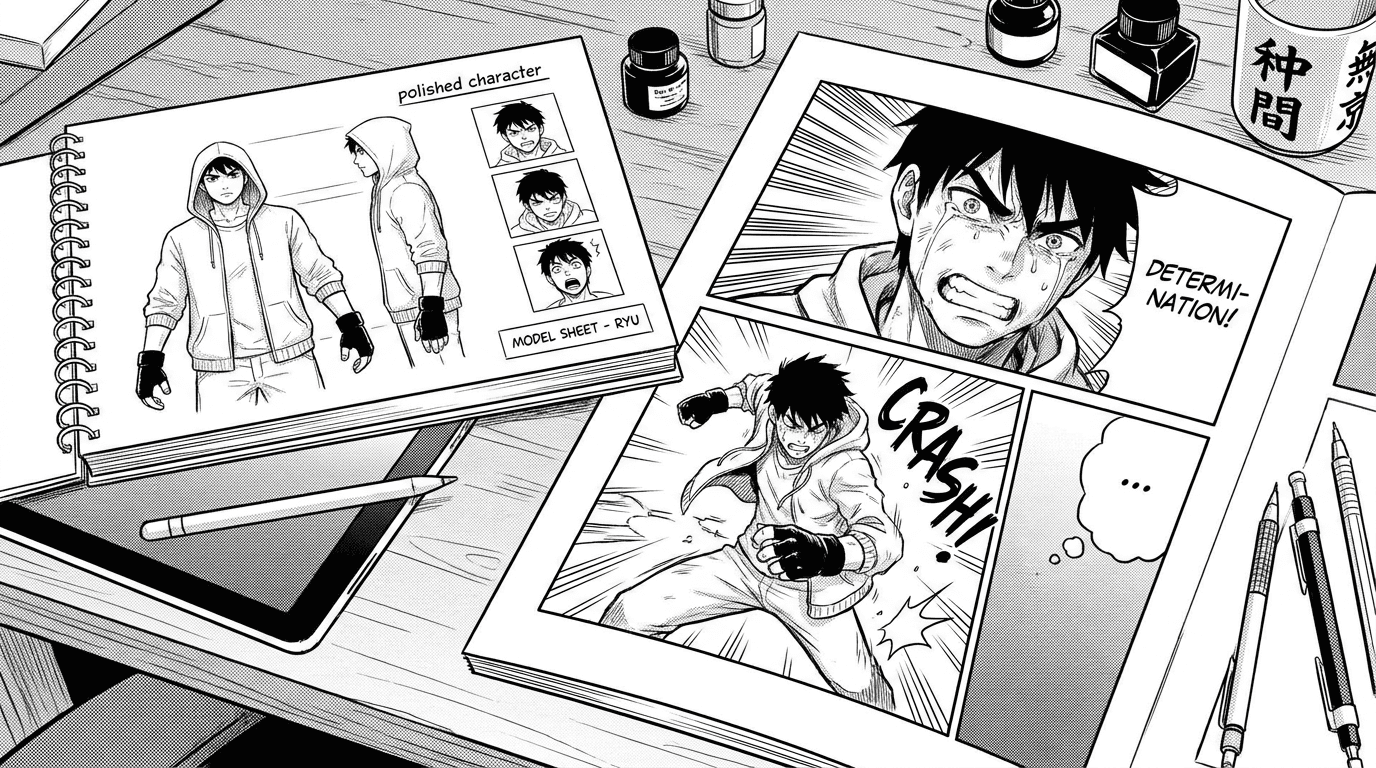
Manga Character Consistency With AI: How to Keep Your Cast On Model
Learn how to improve manga character consistency with AI using reference images, model sheets, clear descriptions, and Studio workflows.
Updated
Why consistency matters
Readers connect with characters through repeated visual cues: hair, eyes, outfit, silhouette, posture, and expression. If those details change every panel, the story feels less professional. AI can help, but it needs strong references and clear instructions to keep your cast on model.
Write a precise character description
Start with details that are easy to see: age range, hairstyle, hair color, eye color, build, signature clothing, accessories, and personality cues. Avoid vague descriptions like "cool hero" unless you also describe what that looks like. The AI needs visual anchors it can repeat.
Use references and model sheets
Reference images are one of the best ways to reduce drift. In Studio, "Generate character sheet" creates a model sheet for each character—front, side, and back views plus expressions on a plain background—and sends it with every page that character appears in. A good model sheet shows the same character clearly, without busy backgrounds, so the AI understands the design rather than guessing from one dramatic pose. If you upload your own reference, pick a clear, well-lit image of just that character.
Keep prompts consistent
When a character appears, include their name and key visual traits in the panel context. If a costume changes, say so clearly. If it should stay the same, reinforce that with continuity notes. Consistency is not one setting; it is a workflow of references, descriptions, and careful panel prompts.